

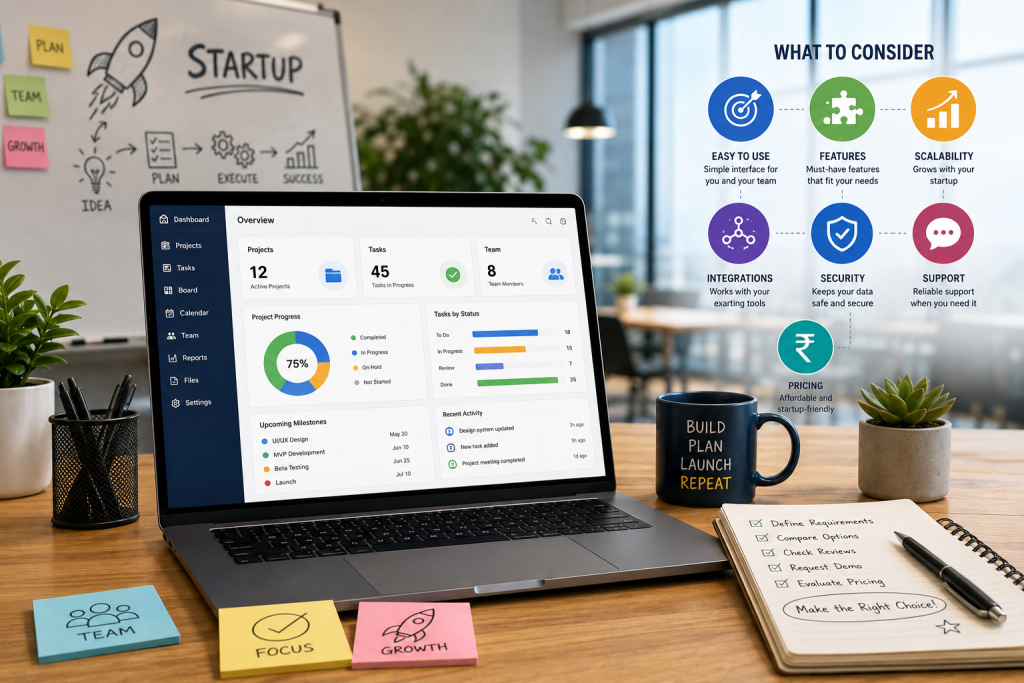
Choosing the right project management software can greatly enhance project planning, task management, teamwork, and timely completion of projects in startups. Being resource-constrained and with dynamic priorities, startups require a solution that is user-friendly, scalable, cost-effective, and supportive of business development. This guide provides information on what criteria startups need to take into account when selecting project management software.
Why Startups Need Project Management Software
Startups may have several projects and small teams working on them. Utilizing such tools as spreadsheets and email can complicate the tracking of tasks and progress of projects.
A good project management solution helps startups:
- Organize projects and tasks in one place
- Assign responsibilities to team members
- Monitor deadlines and project progress
- Improve team collaboration
- Reduce manual follow-ups
- Identify delays and bottlenecks
- Manage workloads more effectively
- Keep project-related information accessible
Key Features to Look for in Project Management Software
1. Task and Project Management
The software should make it easy to create projects, divide them into tasks, assign owners, set priorities, and establish deadlines. Features such as task status, recurring tasks, checklists, and dependencies can further improve project organization.
2. Team Collaboration
Startups require teams that communicate promptly when doing projects. Pay attention to comments, file sharing, mentions, notifications and project discussion capabilities.
3. Time and Deadline Tracking
Time tracking and deadline management can help startups understand how resources are being utilized and whether projects are progressing according to schedule.
4. Project Dashboards and Reports
Visual dashboards enable one to get an overview of the status of projects, tasks pending, completed tasks, deadlines, and performance of the team members. Reporting will enable managers to make informed decisions.
5. Automation
Project management automation will save one from doing repetitive and administrative tasks. This will be done through reminders, task assignment, notifications, status updates, and workflow.
6. Ease of Use
A comprehensive platform becomes useless when the employees have difficulties using it. It is, therefore, important for startups to focus on user-friendly interfaces and easy navigation.
7. Scalability
The requirements for your startup will evolve with time. Pick software that is capable of handling increased user capacity, projects, processes, integration capabilities, and so forth without changing the entire platform.
8. Integrations
See if the software can be integrated with other applications used by your startup, such as communication platforms, calendars, CRM applications, HRMS tools, accounting software, cloud storage, etc.
9. Security and Access Control
Information about your projects may contain sensitive data about your business. See if the software has features such as role-based permissions, authentication, secure access control, backup, etc.
How to Compare Project Management Software
Before choosing a platform, evaluate each option based on your startup’s actual requirements.
| Factor | What to Consider |
| Ease of use | Can employees start using it quickly? |
| Features | Does it support your project workflows? |
| Pricing | Does it fit your current budget? |
| Scalability | Can it grow with your business? |
| Collaboration | Does it support effective team communication? |
| Reporting | Can managers track project performance? |
| Automation | Can repetitive processes be automated? |
| Integrations | Does it work with your existing tools? |
| Security | Are project and company data protected? |
| Support | Is reliable customer support available? |
Cloud-Based vs. On-Premise Project Management Software
Cloud-based project management tools could serve as a solution for some startups since they can be accessed from various locations without the need for the organization to set up its own infrastructure.
While on-premises options would give more control regarding infrastructure management and data management, at the same time they might entail more expenses regarding infrastructure setup and maintenance.
It all depends on the specific needs of your startup.
Common Mistakes Startups Should Avoid
When selecting project management software, avoid choosing a platform simply because it has the largest number of features.
Common mistakes include:
- Choosing software without defining business requirements
- Focusing only on price
- Selecting overly complicated software
- Ignoring scalability
- Not checking integration capabilities
- Failing to evaluate user adoption
- Overlooking security requirements
- Not testing the software before implementation
A Simple Selection Process
Startups can follow these steps to choose the right solution:
Step 1: Identify your challenges
Determine whether your biggest problems involve task tracking, collaboration, deadlines, reporting, resource management, or workflow automation.
Step 2: Define essential features
Separate must-have features from nice-to-have features.
Step 3: Set a realistic budget
Consider both current costs and future expenses as your team grows.
Step 4: Shortlist suitable platforms
Compare several solutions based on features, usability, scalability, security, and integrations.
Step 5: Test before implementation
Use a demo or trial to evaluate the software with real workflows.
Step 6: Collect team feedback
Ask employees whether the platform is intuitive and useful for their daily work.
Step 7: Measure results
After implementation, monitor productivity, project completion rates, deadline adherence, and user adoption.
Conclusion
The project management software for a startup does not need to be the tool with the largest number of features. The right tool will depend on the workflows of your team, the budget of your organization, the technological needs of your company, and the future growth expectations.
When considering which platform might be appropriate for your business, you need to consider such criteria as usability, task management, collaboration, automation, reporting, scalability, integrations, and security. The right tool might save your time, organize your processes, increase the visibility, and help you manage your projects effectively.
For startups that require an integrated solution, WeekMate TaskHub may be presented as a project management tool.
